
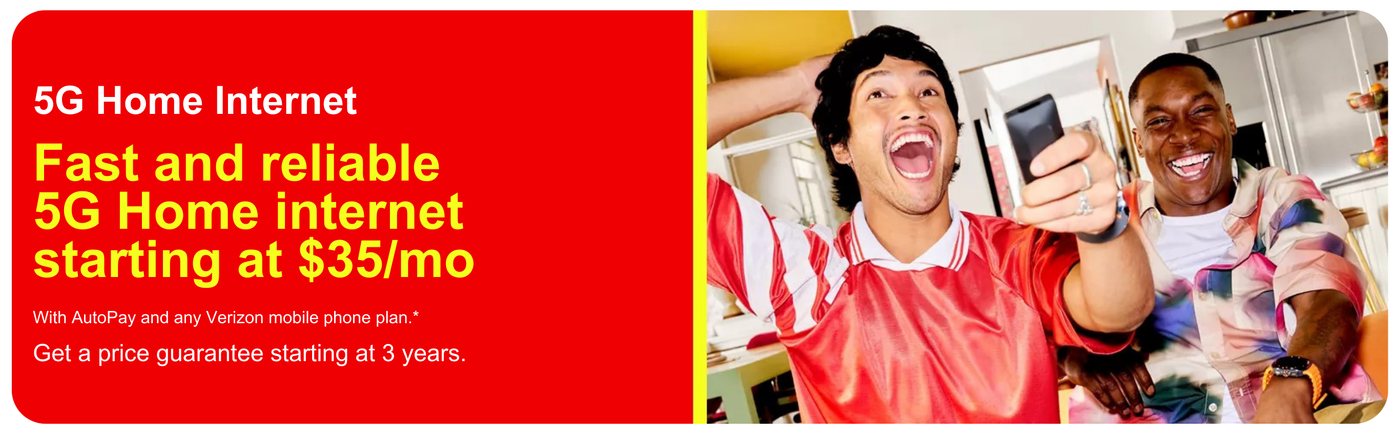


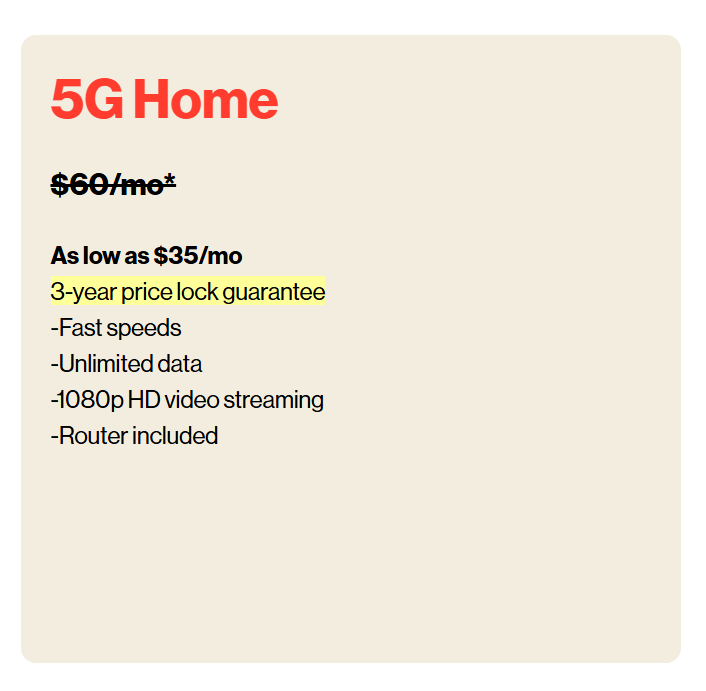
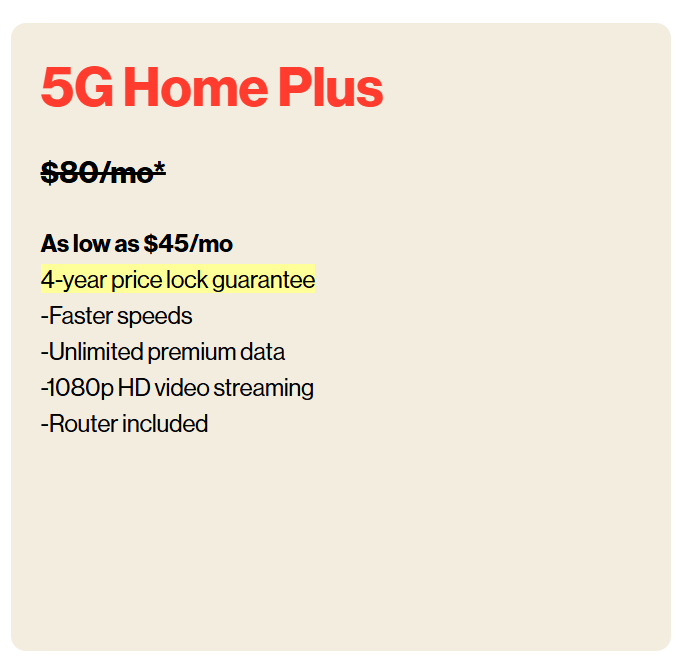
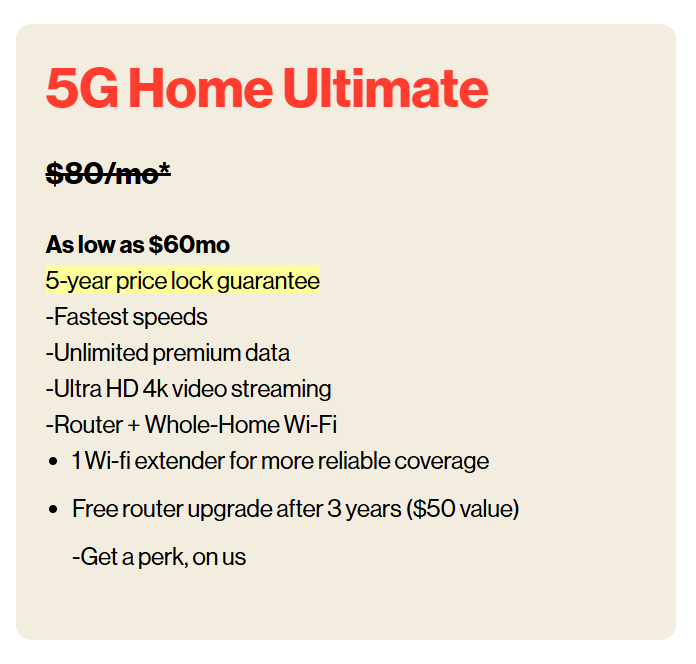

Experience the superb broadband internet from Verizon at your house.
Frequently Asked Questions
How does Verizon Home Internet work?
How does Verizon Home Internet work?
Verizon 5G Home Internet
Verizon 5G Home Internet uses the latest 5G wireless technology. Here’s how it works:
- 5G Network: Verizon’s 5G network provides high-speed internet through wireless signals.
- 5G Receiver: A receiver is placed in your home to capture the 5G signals.
- Router: The receiver connects to a router, distributing the internet connection throughout your home.
Benefits of 5G Home Internet
- High Speeds: Comparable to fiber-optic speeds.
- Wireless Setup: No need for cables or complex installations.
- Flexible Installation: Easy to set up and relocate if needed.
How to Get Started
- Check Availability: Visit Cole's Computers to see if you qualify.
- Choose a Plan: Select a 5G Home Internet plan that fits your needs.
- Schedule Installation: Follow the instructions to schedule a professional installation or set up the equipment yourself.
How to set up Verizon 5G Home Internet?
How to set up Verizon 5G Home Internet?
1. Unbox Your Equipment:
Unpack the 5G Home Internet receiver and router from the box.
Ensure you have all necessary components: receiver, router, power cords, and Ethernet cable.
2. Find the Best Location:
Place the receiver near a window for optimal signal strength.
Use the My Verizon app to help find the best spot with the strongest 5G signal.
3. Connect the Receiver:
Plug the receiver into a power outlet.
Wait for the receiver to power on and establish a connection to the 5G network (this may take a few minutes).
4. Set Up the Router:
Connect the router to the receiver using the provided Ethernet cable.
Plug the router into a power outlet.
Wait for the router to power on and sync with the receiver.
5. Configure Wi-Fi:
Use a smartphone, tablet, or computer to connect to the router's Wi-Fi network.
The network name (SSID) and password can be found on the sticker on your router.
Open a web browser and follow the on-screen instructions to complete the setup.
6. Use the My Verizon App:
Download the My Verizon app from the App Store or Google Play.
Use the app to manage your network, change settings, and monitor signal strength.
Is Verizon Home Internet good for gaming?
Is Verizon Home Internet good for gaming?
Yes, Verizon Home Internet is an excellent choice for gaming. Verizon 5G Home Internet offer features that make it suitable for online gaming. Here’s why:
Verizon 5G Home Internet
- Cutting-Edge 5G Technology:
- Low Latency:
- Easy Setup:
Tips for Optimal Performance
Tips for Optimal Performance
- Positioning: Keep the receiver and router in open spaces, away from obstructions and electronic devices that might interfere with the signal.
- Updates: Regularly check for firmware updates via the My Verizon app to ensure your equipment runs smoothly.
- Support: If you encounter any issues, visit the Verizon Support Page for troubleshooting tips and contact information.